What Is Marketing Automation? A 2026 Small Business Guide
What Is Marketing Automation? A 2026 Small Business Guide

Marketing automation is software that executes marketing tasks automatically based on predefined triggers and customer behaviors. Rather than sending emails manually or posting to social media by hand, platforms like HubSpot, ActiveCampaign, and Salesforce run those tasks for you the moment a customer takes a specific action. Organizations earn an average ROI of $5.44 for every dollar spent on marketing automation software, with a payback period under six months. That number tells you this is not a luxury for large enterprises. It is a practical growth tool for small businesses and lean marketing teams.
What is marketing automation and how does it work?
Marketing automation is the practice of using software to trigger marketing messages and workflows based on real-time customer data. The industry term for this discipline is “automated marketing,” though most practitioners simply call it marketing automation. The core mechanism is a trigger: a customer opens an email, visits your pricing page, or abandons a shopping cart, and the software responds instantly with a targeted message.
Real-time data collection from interactions like email opens and website visits builds customer profiles and triggers personalized follow-ups automatically. This is what separates true marketing automation from a simple email scheduler. A scheduler sends messages at a fixed time. Automation sends the right message to the right person based on what they just did.

Triggers, channels, and behavioral logic
The engine behind any automation platform is conditional logic. “If a contact downloads a lead magnet, then send a welcome email. If they open that email and click a link, then add them to a nurture sequence.” This branching logic runs 24 hours a day without anyone at a keyboard.
Automated marketing covers multiple channels beyond email, including SMS, push notifications, chatbots, and retargeting ads. Each channel adds another touchpoint where your message can reach a prospect. The most effective campaigns coordinate all of them together, so a customer who ignores an email might respond to an SMS sent two hours later.
Here is what a standard multi-channel automation stack looks like in practice:
- Email: Welcome sequences, nurture drips, re-engagement campaigns
- SMS: Cart recovery alerts, appointment reminders, flash sale notifications
- Push notifications: Browser or app alerts for time-sensitive offers
- Chatbots: Automated qualification and FAQ responses on your website
- Retargeting ads: Dynamic ads served to visitors who left without converting
Pro Tip: Start by connecting your automation platform to your website analytics. Even basic page-visit tracking unlocks behavioral triggers that are far more powerful than time-based scheduling.
What are the key benefits of marketing automation for small businesses?
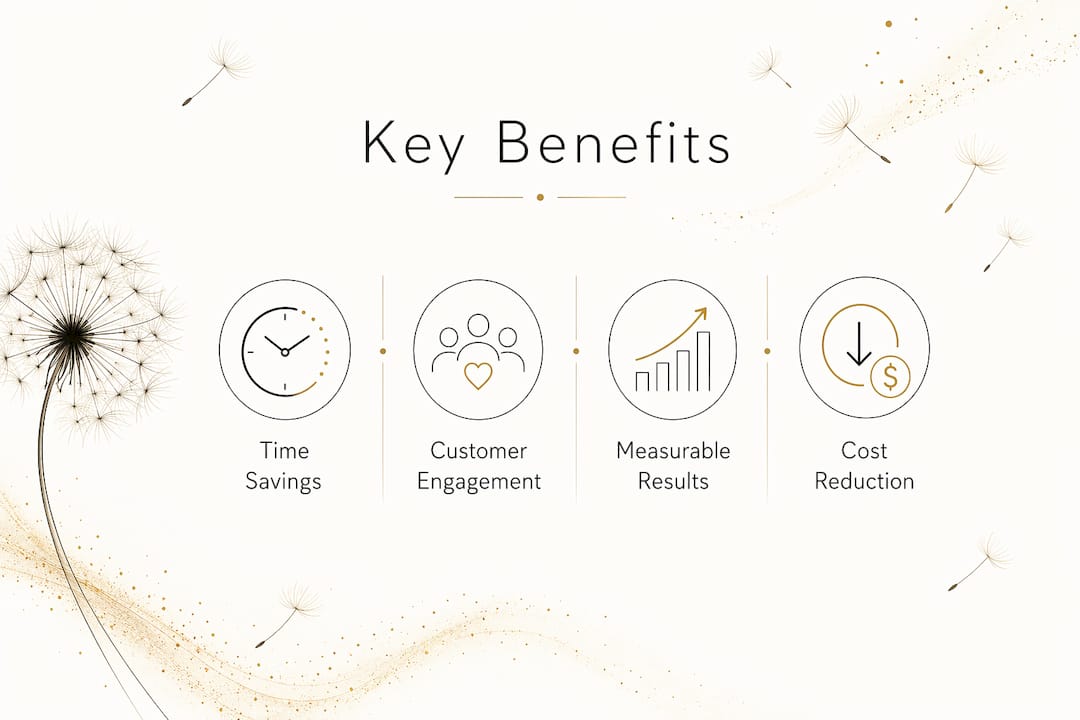
The benefits of marketing automation fall into three categories: time savings, better customer engagement, and measurable revenue impact. For a small business owner wearing five hats, the time savings alone justify the investment.
Time savings and cost reduction
Automating repetitive tasks like follow-up emails, lead scoring, and social scheduling frees your team to focus on strategy and creative work. A single automation workflow can replace hours of manual outreach every week. Over a quarter, that compounds into significant labor savings.
Stronger lead nurturing and customer retention
Lead nurturing sequences triggered by content downloads or page visits automatically segment prospects and alert sales teams when those prospects show buying signals. This means your sales team contacts a lead at exactly the right moment, not three days after the lead has moved on.
The numbers behind retention are equally strong. Consider these proven outcomes:
- Repeat purchase rates increase by 20–40% when post-purchase follow-up sequences are in place.
- Cart recovery rates improve by 20–30% when SMS is added alongside email in abandoned cart workflows.
- Payback period under six months is typical for businesses that implement automation with a clear workflow strategy.
Data-driven decisions and measurable results
Every interaction inside an automation platform generates data. Open rates, click rates, conversion rates, and revenue per email are all tracked automatically. You stop guessing which messages work and start making decisions based on actual customer behavior. That shift from intuition to evidence is one of the most underrated benefits of marketing automation for small teams.
Top marketing automation software compared for 2026
The right platform depends on your business size, budget, and the channels you need to cover. Here is a direct comparison of the leading options in 2026.
| Platform | Best for | Key strength | CRM included |
|---|---|---|---|
| HubSpot | Growing SMBs | All-in-one marketing and sales hub | Yes |
| ActiveCampaign | Email-first businesses | Behavioral automation depth | Yes (basic) |
| Salesforce | Mid-market and enterprise | CRM integration and demand generation | Yes (full) |
| Mailchimp | Beginners and solo operators | Ease of use and low entry cost | Basic |
ActiveCampaign has pushed furthest into what the industry now calls autonomous marketing. AI agents dynamically adjust messaging, timing, and budget allocation without manual oversight. This is a meaningful shift. Traditional automation requires you to build every branch of logic yourself. Autonomous platforms make real-time decisions based on performance data, reducing the setup burden significantly.
Marketing automation integrated with a unified CRM is the most effective configuration for converting leads into revenue. Salesforce makes this case clearly with its demand generation suite, which connects marketing activity directly to pipeline data. HubSpot takes a similar approach with its shared contact database across marketing, sales, and service hubs.
Pro Tip: If you are choosing your first platform, prioritize one that connects natively to your existing tools. A platform that requires five custom integrations to work with your store or CRM will cost you more in setup time than it saves in automation.
How to build core marketing automation workflows
Understanding the theory of automation is useful. Seeing it as a step-by-step workflow is more useful. Here are three workflows every small business should build first.
Abandoned cart recovery sequence
This is the highest-ROI workflow for any e-commerce business. The standard three-step sequence runs on this timeline:
- 1 hour after abandonment: Send a reminder email with the exact items left in the cart. Keep it short and direct.
- 24 hours after abandonment: Send a follow-up email. Add a customer review or a trust signal like a return policy reminder.
- 48–72 hours after abandonment: Send a final email with a time-limited incentive, such as free shipping or a small discount.
Adding SMS to this sequence matters. SMS integration boosts cart recovery rates by 20–30% over email alone. A short text at the one-hour mark, paired with the email, catches customers who never opened their inbox.
Post-purchase follow-up sequence
Most businesses stop communicating after a sale. That is a missed opportunity. A post-purchase sequence that delivers a thank-you message, a product usage tip, and a review request can increase repeat purchase rates by 20–40%. The sequence runs automatically after every order, requiring zero manual effort once it is built.
Welcome and lead nurture sequence
When a new contact joins your list, the first 48 hours determine whether they stay engaged. A welcome sequence should:
- Deliver the promised lead magnet or offer immediately
- Introduce your brand and what makes it different
- Share one piece of genuinely useful content within 24 hours
- Present a soft call to action (a free consult, a product demo, a popular product) by day three
Marketing automation shifts this entire process from manual execution to orchestration, building behavioral profiles as contacts engage and routing them into the right sequence automatically. You set it up once. It runs for every new contact, forever.
Key takeaways
Marketing automation delivers the highest returns when it is built around behavioral triggers, integrated with a CRM, and expanded incrementally from one high-impact workflow outward.
| Point | Details |
|---|---|
| Core definition | Marketing automation triggers messages and workflows based on real-time customer behavior, not manual scheduling. |
| ROI is proven | Businesses average $5.44 returned per dollar spent, with payback typically under six months. |
| Start with one workflow | Abandoned cart or welcome sequences deliver the fastest results and lowest setup complexity. |
| Multi-channel beats single-channel | Adding SMS to email workflows improves cart recovery rates by 20–30%. |
| CRM integration is critical | Connecting automation to your CRM aligns sales and marketing and improves lead-to-revenue conversion. |
Why I think most small businesses are automating in the wrong order
Most small business owners I work with make the same mistake when they start with marketing automation. They try to automate everything at once. They build a welcome sequence, a cart recovery flow, a re-engagement campaign, a post-purchase drip, and a lead scoring model in the same month. Then nothing works well because nothing was tested properly.
Automation bloat is the most common failure mode, and the fix is simple: start with one workflow, run it for 60 days, and measure the result before adding anything else. The abandoned cart sequence is almost always the right first choice for product businesses. The welcome sequence is the right first choice for service businesses. Both are high-impact, low-complexity, and fast to build.
The second mistake I see is treating automation as a replacement for strategy. Automation executes. It does not think. If your messaging is unclear or your offer is weak, automation will just deliver that weak message faster and more consistently. Fix the strategy first, then automate the execution.
The third thing I would tell any small business owner is this: the real power of marketing automation is not the time it saves. It is the behavioral data it collects. Every click, every open, every page visit becomes a signal you can act on. That data, over time, gives you a picture of your customer that no survey or focus group can match. Use it.
— Christopher
Ready to build your automated marketing system?
If you have been putting off marketing automation because it feels complicated, Moderatemurmurations makes the setup process clear and fast. We build AI-powered websites, landing pages, and digital systems for small businesses that are ready to grow without adding headcount.

From your first lead capture form to a fully connected email and SMS workflow, we help you launch your business online with the right tools already in place. If you want a system that works while you focus on your clients, explore what we build at Moderatemurmurations and see how quickly a clean, automated marketing setup can come together for your business.
FAQ
What is marketing automation in simple terms?
Marketing automation is software that sends messages and runs marketing tasks automatically when a customer takes a specific action, like visiting a page or abandoning a cart.
How does marketing automation work for small businesses?
The software monitors customer behavior, applies conditional logic, and delivers targeted emails, SMS messages, or ads in real time without manual input from your team.
What are the best marketing automation tools for small businesses?
HubSpot, ActiveCampaign, and Mailchimp are the most widely used platforms for small businesses, each offering different levels of complexity, channel support, and CRM integration.
How long does it take to see ROI from marketing automation?
Most businesses see a payback period under six months, with an average return of $5.44 per dollar spent when workflows are set up around high-impact triggers like cart abandonment and lead nurturing.
What is the difference between email marketing and marketing automation?
Email marketing sends scheduled messages to a list. Marketing automation triggers personalized messages across email, SMS, and other channels based on individual customer behavior in real time.